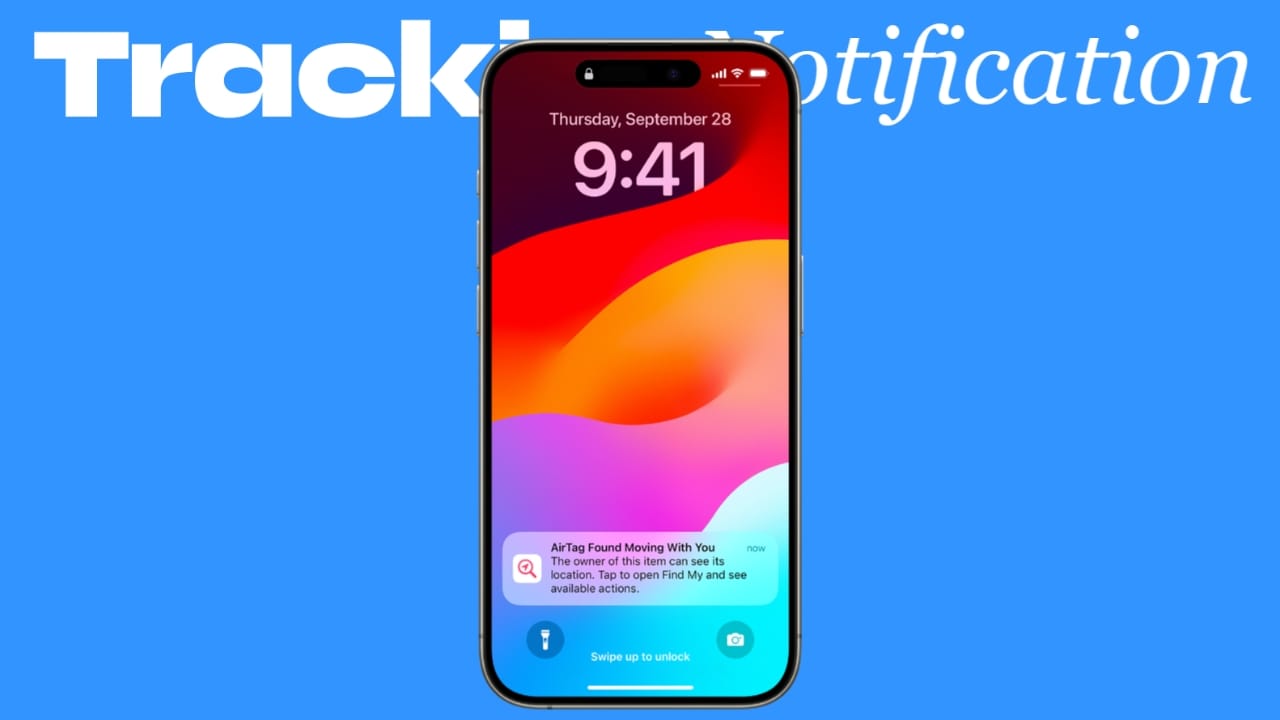
Imagine getting an alert on your iPhone saying an unknown tracker is moving with you. That notification could protect your privacy and safety.
In 2026, digital tracking devices are common. While tools like AirTag are designed to help users find lost items, they can also be misused. Thankfully, iPhone includes a powerful feature called Tracking Notifications to keep you safe.
In this detailed guide by Unplix, we’ll explain how Tracking Notifications work, how to enable them, and how they protect you from hidden AirTags or unknown trackers.
Let’s break it down in simple terms.
What Are Tracking Notifications on iPhone?
Tracking Notifications are safety alerts built into iOS. They notify you if an unknown tracking device, such as an AirTag, is traveling with you over time.
This feature helps prevent unwanted tracking and improves personal safety.
Instead of manually searching for trackers, your iPhone does the monitoring for you.
At Unplix, we believe understanding built-in safety tools is essential for every smartphone user.
How AirTags Work
AirTags are small Bluetooth tracking devices created by Apple Inc..
They are designed to:
- Help users find lost keys or bags
- Track personal belongings
- Connect to the Find My network
AirTags use nearby Apple devices to update their location securely.
However, if someone places an AirTag in your belongings without permission, Tracking Notifications can alert you.
How to Enable Tracking Notifications on iPhone (Step-by-Step)
Most modern iPhones have this feature enabled by default. Still, it’s important to check.
Step 1: Update Your iPhone
Make sure your device runs the latest iOS version.
Go to:
Settings → General → Software Update
Install any available updates.
Step 2: Open Privacy & Security Settings
- Open Settings.
- Scroll down and tap Privacy & Security.
Step 3: Tap “Location Services”
Make sure Location Services is turned ON.
Tracking Notifications depend on location access.
Step 4: Open “Find My”
- Go back to Settings.
- Tap your Apple ID at the top.
- Select Find My.
Ensure:
- Find My iPhone is enabled
- Find My network is active
Step 5: Enable Tracking Notifications
Go to:
Settings → Privacy & Security → Location Services → System Services
Look for Tracking Notifications and ensure it is turned ON.
Once activated, your iPhone will automatically scan for unknown trackers moving with you.
What Happens When You Receive a Tracking Notification?
If your iPhone detects an unknown AirTag traveling with you, it will:
- Send a notification alert
- Show a map of where the tracker has been
- Allow you to play a sound on the AirTag
- Provide instructions to disable it
This gives you control and awareness immediately.
As discussed on Unplix, early alerts can prevent serious privacy issues.
How to Find a Hidden AirTag
If you receive an alert, follow these steps:
Step 1: Tap the Notification
Open the alert message to view details.
Step 2: Check the Map
Your iPhone will show where the AirTag was detected with you.
Step 3: Play Sound
Tap “Play Sound” to make the AirTag emit a noise.
This helps you physically locate it.
Step 4: Disable the AirTag
Follow on-screen instructions to remove the battery and disable tracking.
Always handle the situation calmly and safely.
Benefits of Tracking Notifications
Here are the key advantages of enabling this feature.
1. Personal Safety
You get alerts if someone attempts unwanted tracking.
2. Privacy Protection
Your movements remain under your control.
3. Automatic Monitoring
You don’t need to manually scan for trackers.
4. Built-In and Free
No extra apps or subscriptions required.
5. Peace of Mind
Knowing your device is actively protecting you reduces stress.
At Unplix, we strongly recommend keeping all privacy features enabled for maximum protection.
Common Problems & Solutions
Even with Tracking Notifications, users may face issues.
Problem 1: Not Receiving Alerts
Solution:
Ensure:
- Location Services is ON
- Find My is enabled
- Tracking Notifications are active
- Your iPhone software is updated
Problem 2: False Alerts
Solution:
Sometimes you may travel with a friend who owns an AirTag. Confirm with people around you before assuming a threat.
Problem 3: Sound Not Playing
Solution:
Make sure Bluetooth is enabled. AirTags rely on Bluetooth connectivity.
Problem 4: Android Users Nearby
Android devices can also detect unknown AirTags using compatible apps. However, the system works best within Apple’s ecosystem.
Problem 5: Battery Dead in AirTag
If the AirTag battery is removed, tracking stops. Replace or remove it safely.
Additional Safety Tips
Tracking Notifications are helpful, but you can improve protection further.
- Keep Bluetooth enabled.
- Avoid sharing your Apple ID.
- Use strong passwords.
- Enable two-factor authentication.
- Regularly check privacy settings.
Safety awareness is just as important as technology.
Frequently Asked Questions (FAQ)
1. Are Tracking Notifications available on all iPhones?
Most newer iPhones running updated iOS versions support this feature.
2. Can someone track me without an AirTag?
Tracking Notifications are designed for compatible tracking devices. Other tracking methods require different detection methods.
3. Does this feature drain battery?
No. It runs efficiently in the background and has minimal impact on battery life.
4. Can I turn off Tracking Notifications?
Yes, but it is not recommended for safety reasons.
5. What should I do if I feel unsafe?
If you believe you are being tracked intentionally, contact local authorities and share the alert details.
Who Should Use This Feature?
Everyone.
Especially:
- Students
- Travelers
- Ride-share users
- Public transport commuters
- Parents
Tracking Notifications are a simple yet powerful protection tool.
Final Thoughts
Hidden tracking devices can raise serious privacy concerns. Fortunately, Apple’s Tracking Notifications provide a strong layer of protection.
By following this step-by-step 2026 guide from Unplix, you now know how to enable and use this feature effectively.
Digital safety starts with awareness. Take a few minutes today to check your settings and protect yourself.
Your privacy matters.


